
Turn phone videos and product photos into 3D pages that drive bookings, demos, and sales
Create room tours, product showcases, and virtual showroom pages without scanner-heavy workflows.
Start from simple input. Publish with a clear next step.
Need rollout help? Launch a pilot → · Building for clients? Become a partner →
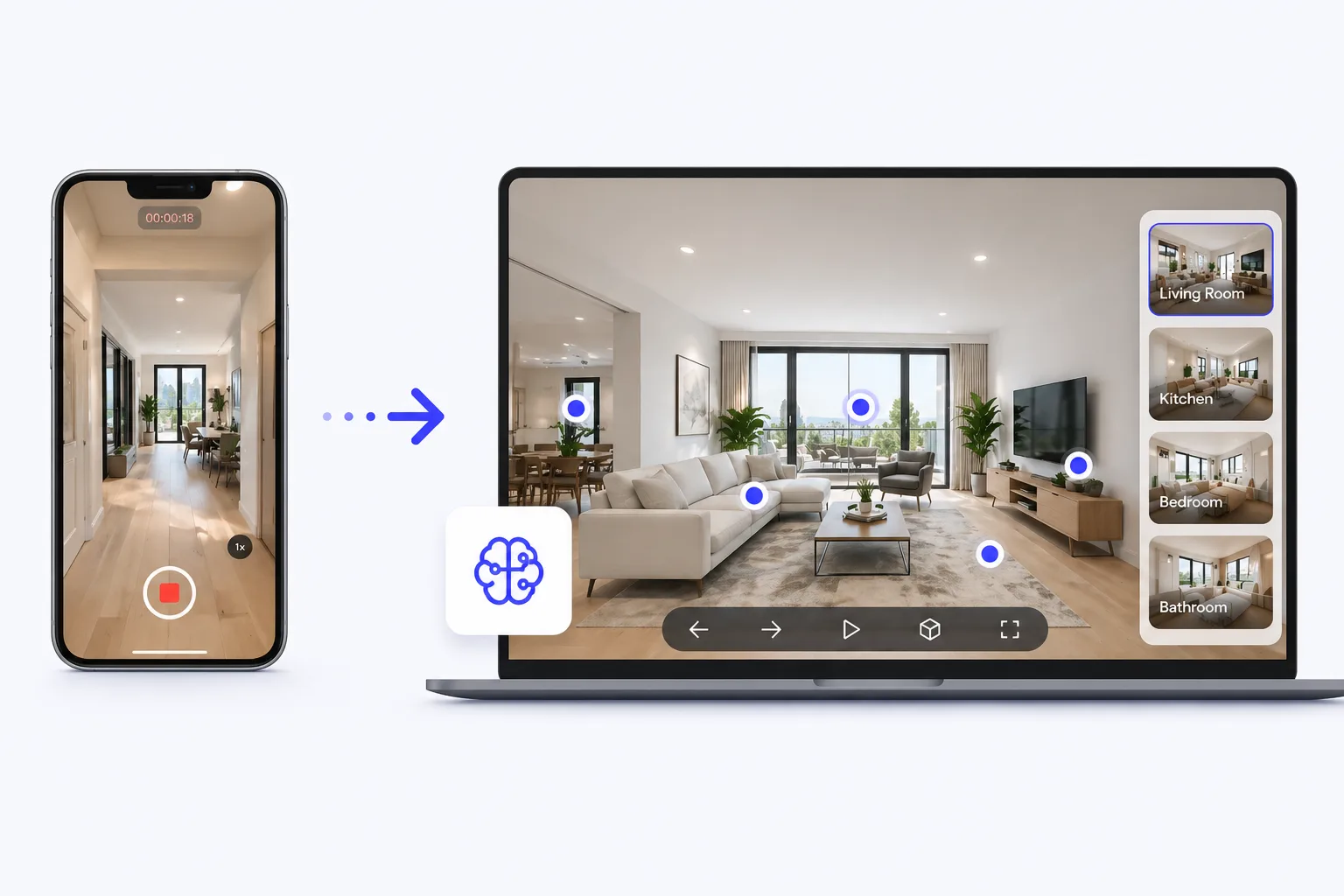
From phone capture to buyer-ready room tours
Most visitors do not need a raw 3D demo. They need to understand the space before they book, inquire, or take a sales call.
- 01
Start with a phone walkthrough
Use simple capture from a room, listing, rental, venue, or showroom instead of planning around specialist scanning gear.
- 02
Publish where buyers decide
Put the tour on listing pages, booking pages, campaign pages, or guided demos where people already compare options.
- 03
Guide the next step
Help visitors understand the space faster, then point them toward an inquiry, booking request, demo, or managed pilot.
Choose what you want to create
Start with the output you need to publish. Each path helps you move faster from source asset to a page that supports the next action.
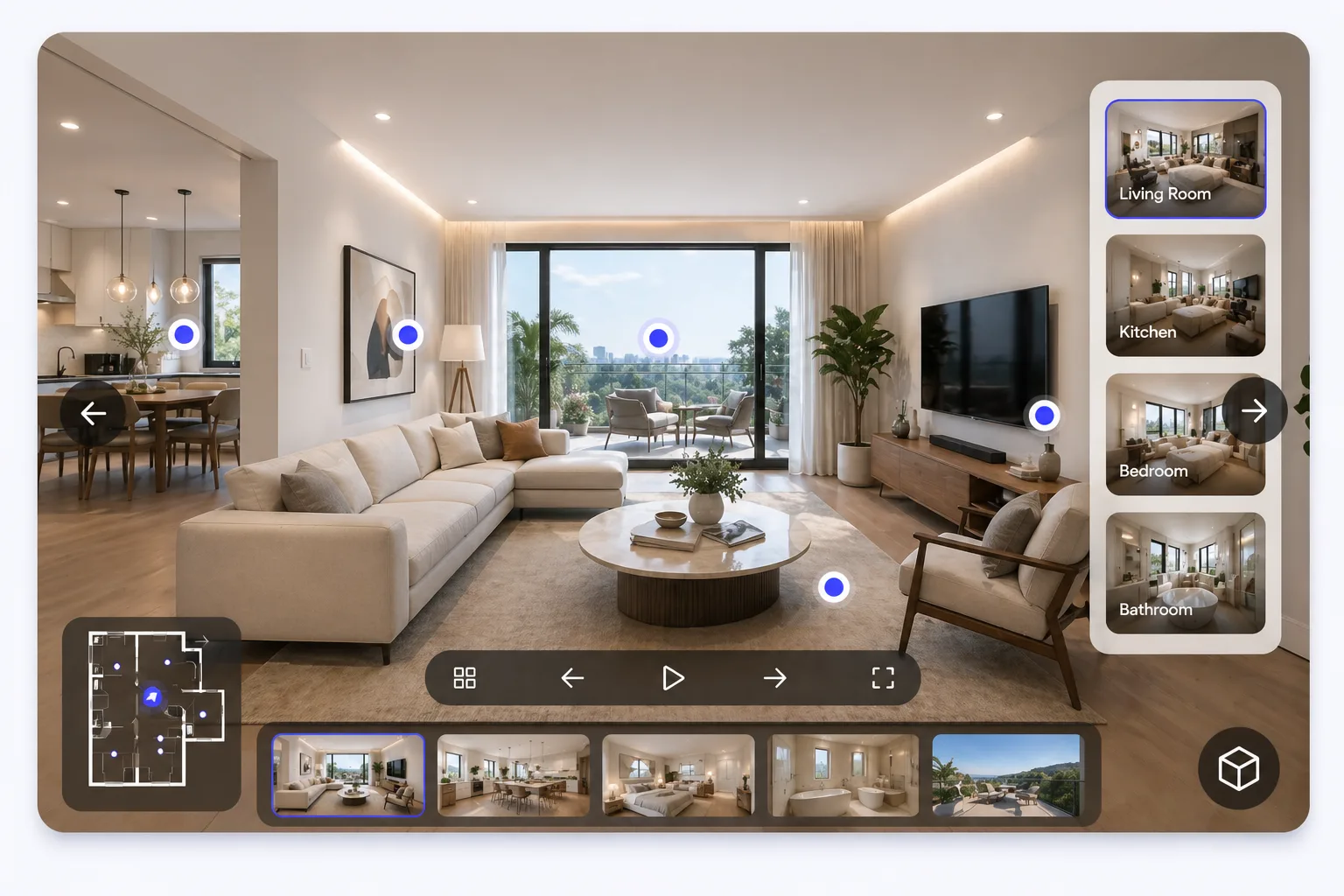
Room Tours
Create virtual room tours from phone videos.
For real estate, rentals, interiors, and space walkthroughs.
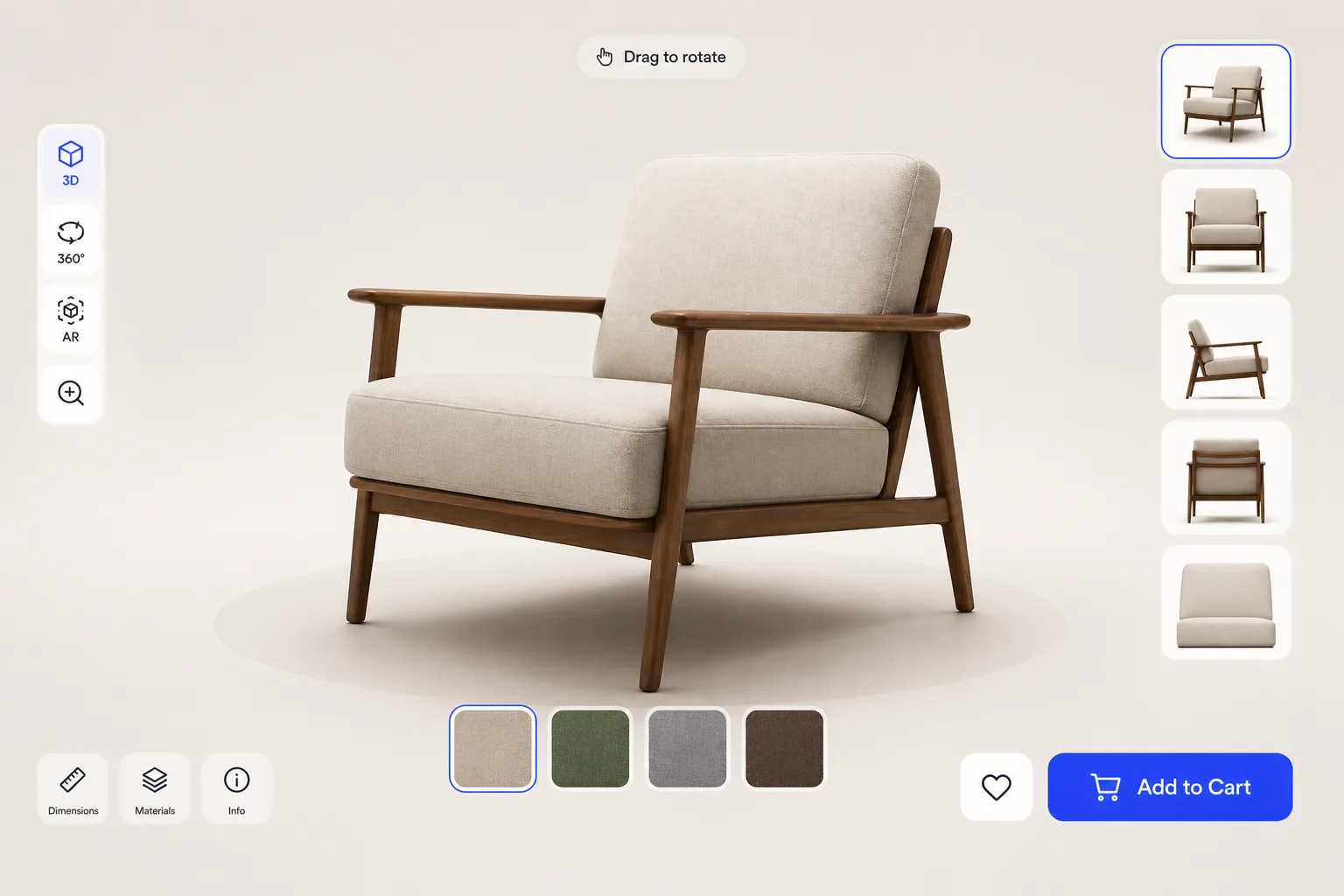
Product Showcase
Turn product photos into interactive 3D showcases.
For e-commerce, landing pages, and product demos.
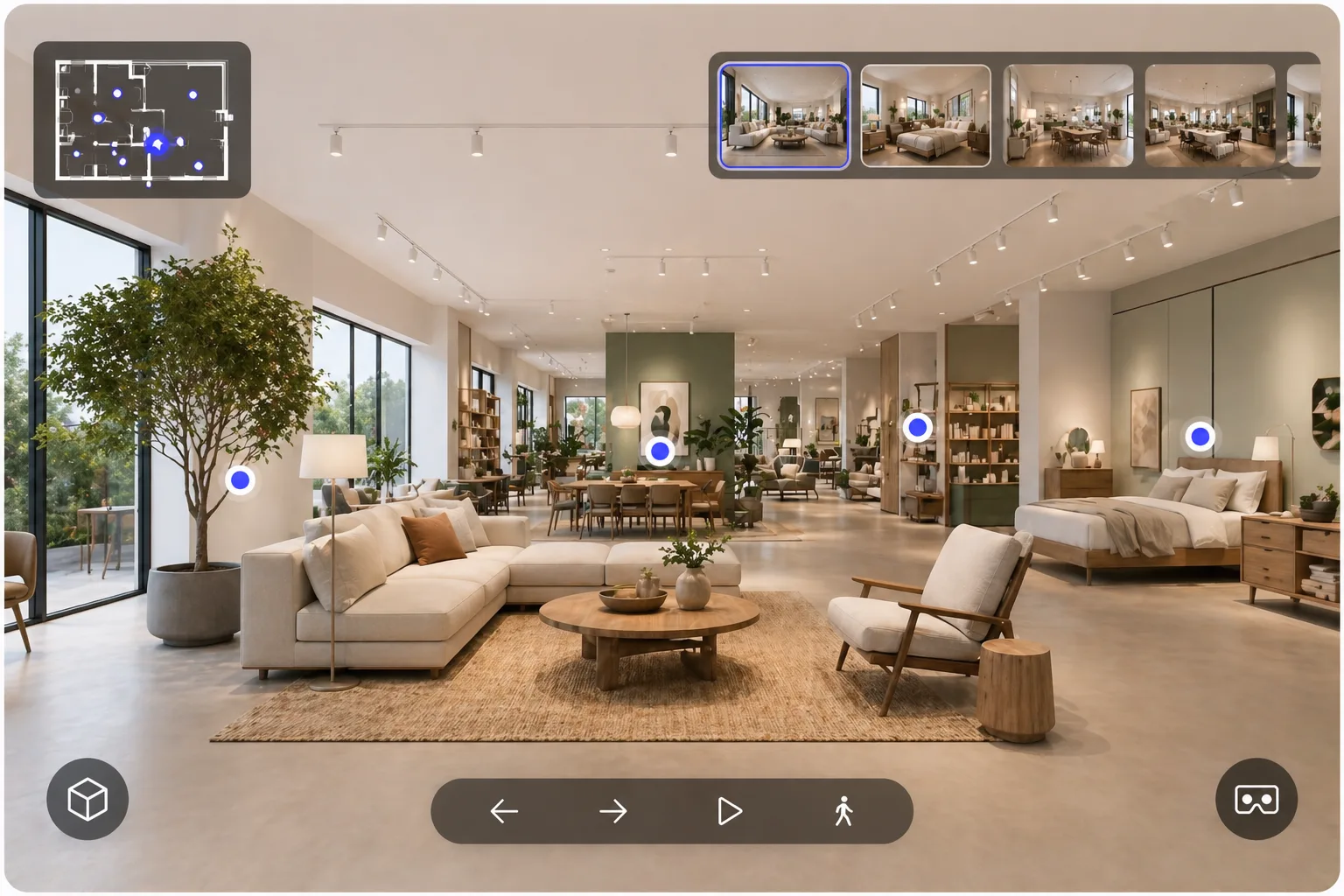
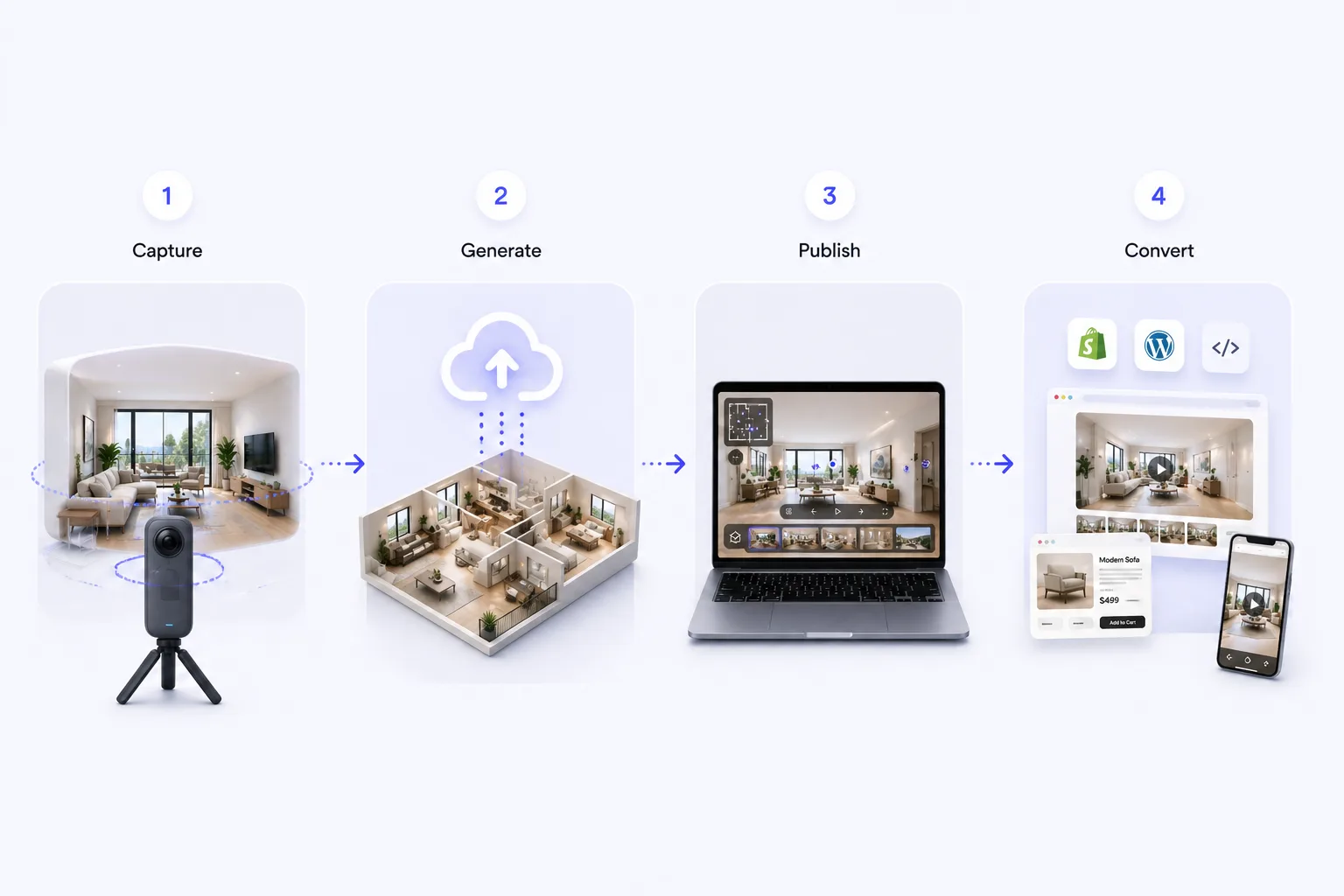
Capture → Generate → Publish → Convert
The creation flow stays simple even when the output serves different buying journeys.
Capture
Upload a phone walkthrough or product photos.
Generate
xdreality creates a conversion-ready 3D tour, showcase, or showroom.
Publish
Embed it on landing pages, product pages, listings, or sales demos.
Convert
Turn visitors into bookings, leads, purchases, or sales conversations.
What you can publish
Different outputs, one creation foundation.
Listing-ready room tours
Publish walkthrough experiences for real estate, hospitality, rentals, and interiors.
Interactive product showcases
Launch richer product pages that support inspection and buying intent.
Sales-driven virtual showrooms
Combine rooms, products, and guided layers into a single demo experience.
xdreality vs traditional 3D tools
Lead with speed to publish, buyer clarity, and conversion intent instead of heavyweight capture complexity.
No scanner-first setup
Start from phone videos or product photos instead of assuming specialized hardware.
Creation by use case
Organize entry points around room tours, showcases, and showrooms instead of generic 3D tooling.
Faster to publish
Go from source input to landing-page-ready output with fewer production steps.
Stronger commercial CTA path
Design for leads, bookings, demos, and purchases rather than passive exploration.
Examples
Show visitors the kind of room tour, product showcase, and virtual showroom experience they can publish before you ask them to commit.
Boutique Hotel Tour
Help guests, renters, and buyers understand layout faster before they inquire, book, or request a viewing.
Furniture Product Launch
Give buyers more inspection confidence on launch and product-detail pages before they ask for a quote or move toward purchase.
Guided Brand Showroom
Support guided sales conversations with one experience that combines product context, narrative flow, and next-step CTAs.
Why teams use xdreality in revenue workflows
The output is built to move visitors toward a next step, not just to display a 3D asset.
Faster buyer understanding
Use room tours, showcases, and showrooms to make the offer clearer before a buyer needs a call.
One workflow, multiple outputs
Your team can create different commercial formats without rebuilding the process for each use case.
Fits the page that already converts
Publish on listings, product pages, campaign pages, and sales demos where intent already exists.
Supports high-intent acquisition
Comparison and category paths connect search demand to creation and demo CTAs more directly.
Guided selling built in
Layer products, spaces, and prompts into one journey instead of sending buyers through fragmented assets.
Clear next-step CTAs
Drive visitors toward bookings, leads, purchases, demos, or sales conversations.
Frequently asked questions
Answer the buying and rollout questions before users get stuck on workflow uncertainty.
Ready to launch a room tour or product showcase with a clear conversion path?
Start self-serve if you already know what to publish. If you need help mapping xdreality to listings, product pages, bookings, or sales demos, launch a managed pilot.